

Agencies & media teams
You show creatives in their real setting and compare variants live in the pitch. Your client sees what they are signing off and decides sooner.
Drag a poster or video creative into the browser and see straight away how it looks on an LED wall, a city-light or a screen in a station concourse. The file stays in your browser. You and your client see how the campaign will look on the street before anything is booked.
The demo from demo.kreativsimulator.com only loads when you click. Then drag your own creative in. It stays in your browser. Open in new tab
Example content from the platform
In use at media owners and airports








The Creative Simulator places your creative in the correct perspective onto real footage of a billboard, a city-light poster or a display. It happens in real time in your browser. The creative file never reaches our servers.
With VC Capture you record the ad surface on your phone (still in development). The VC Platform manages it and produces the videos. In the VC Creative Simulator your clients see the creative live on the surface.
You photograph the ad surface with your phone. The AI detects the surface, blurs people and creates the product in your catalogue.
Learn moreThis is where your ad surfaces live. The platform creates creatives with AI, produces campaign videos in series and connects via API, under your own brand if you like.
Learn moreYour clients see the creative on the real surface in seconds. In the browser and without an upload, in the pitch or the sales meeting.
Learn moreIf you work in outdoor advertising, you have to show other people how a creative will look on the surface. That is what we built the Creative Simulator for.
You show creatives in their real setting and compare variants live in the pitch. Your client sees what they are signing off and decides sooner.
Show your advertisers the locations and screens before they book. Under your own brand if you like, as a portal for your clients.
Check regional variants and branch creatives at the real location before you go to print and book.
Here we go into detail, each topic on its own page. From the software itself to using it in a client meeting.
What a creative simulator needs to do, and how to get one without building it yourself.
Learn moreThe simulator runs under your brand and on your domain. Your clients see your tool.
Learn moreCheck legibility, contrast and impact before anything is printed, without a mockup file.
Learn moreSee how your spot plays on an LED wall or a digital screen, in the surface's own format.
Learn moreShow variants live in the pitch and in approval, instead of sending files back and forth.
Learn moreAgency pitch, media owner's sales meeting or client sign-off: everyone looks at the same surface, not at a composite.
You pick a creative and an ad surface and see the result straight away. For the live simulation, the file never has to go to our servers.
The creative appears on the surface in real time. Adjust the colour or brightness and you see it in the same moment.
The LED walls, city-lights and screens come from real footage. Your client sees the surface as it stands on site, with its surroundings and viewing angle.
Walk through how a creative works at different locations during the meeting. Or show a separate variant for each region and each branch.
Try as many combinations of creative and surface as you like. You don't need any hardware of your own for it.
For the live simulation, your file stays in the browser and is not transferred to our servers. So we don't store your creatives there. The platform itself runs on servers in Germany.
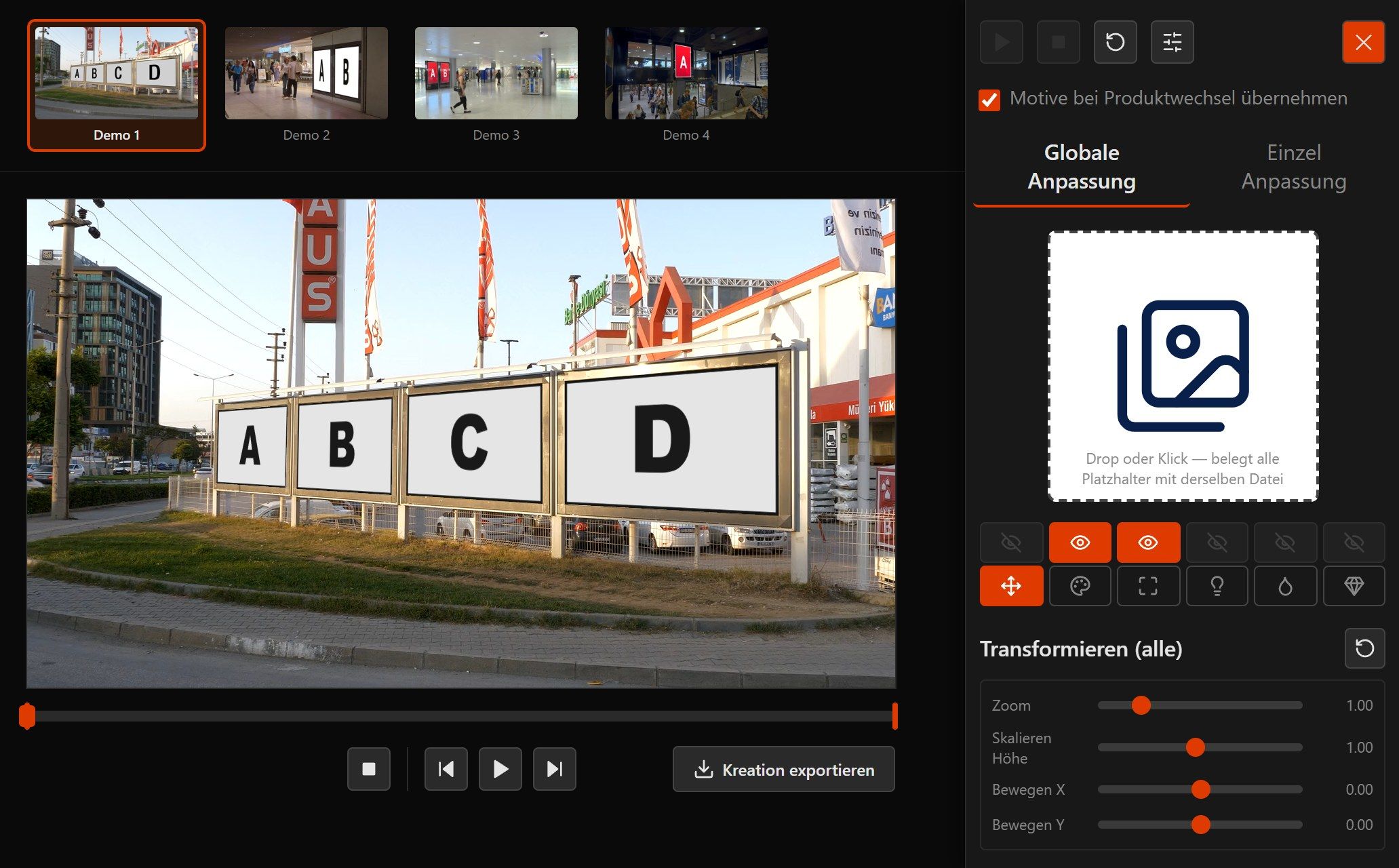
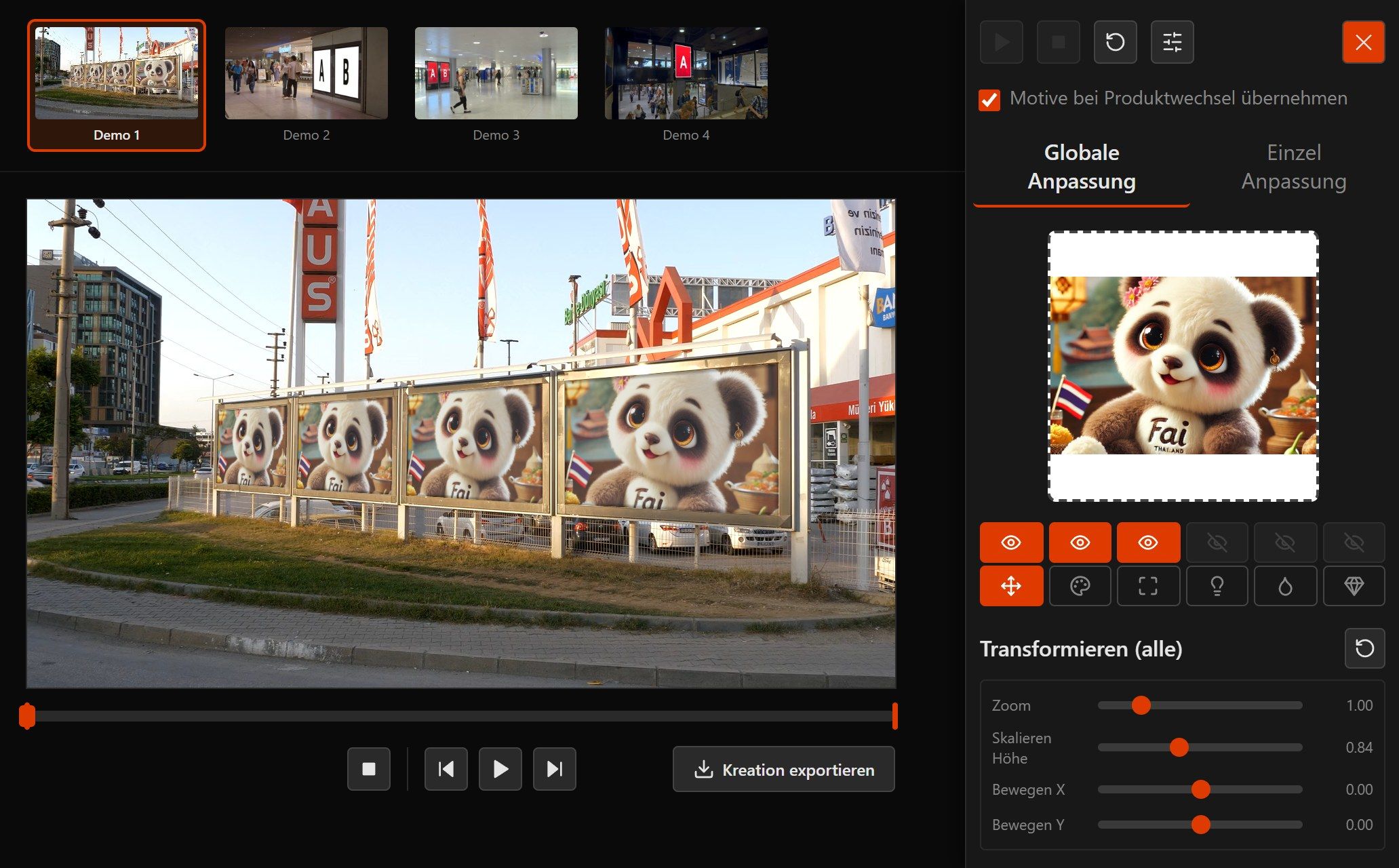
This is what it looks like in the Creative Simulator. The screenshots come from the demo, which you can try yourself.
Drag an image or video into the browser. For the live simulation it stays there. If you want to produce a series of videos from it, add it to the media library.
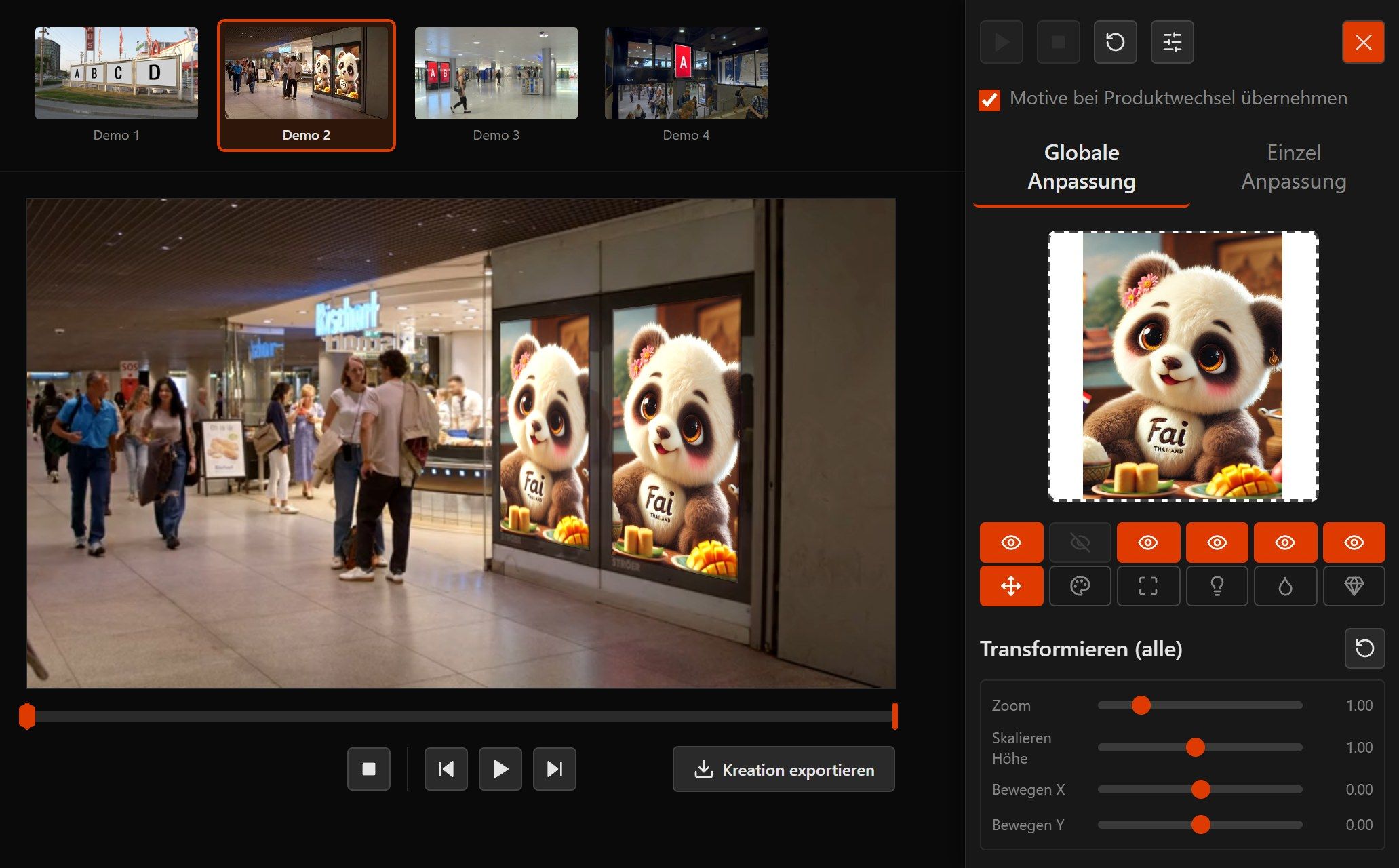
Choose an LED wall, a city-light poster or a screen, each filmed in its real location.
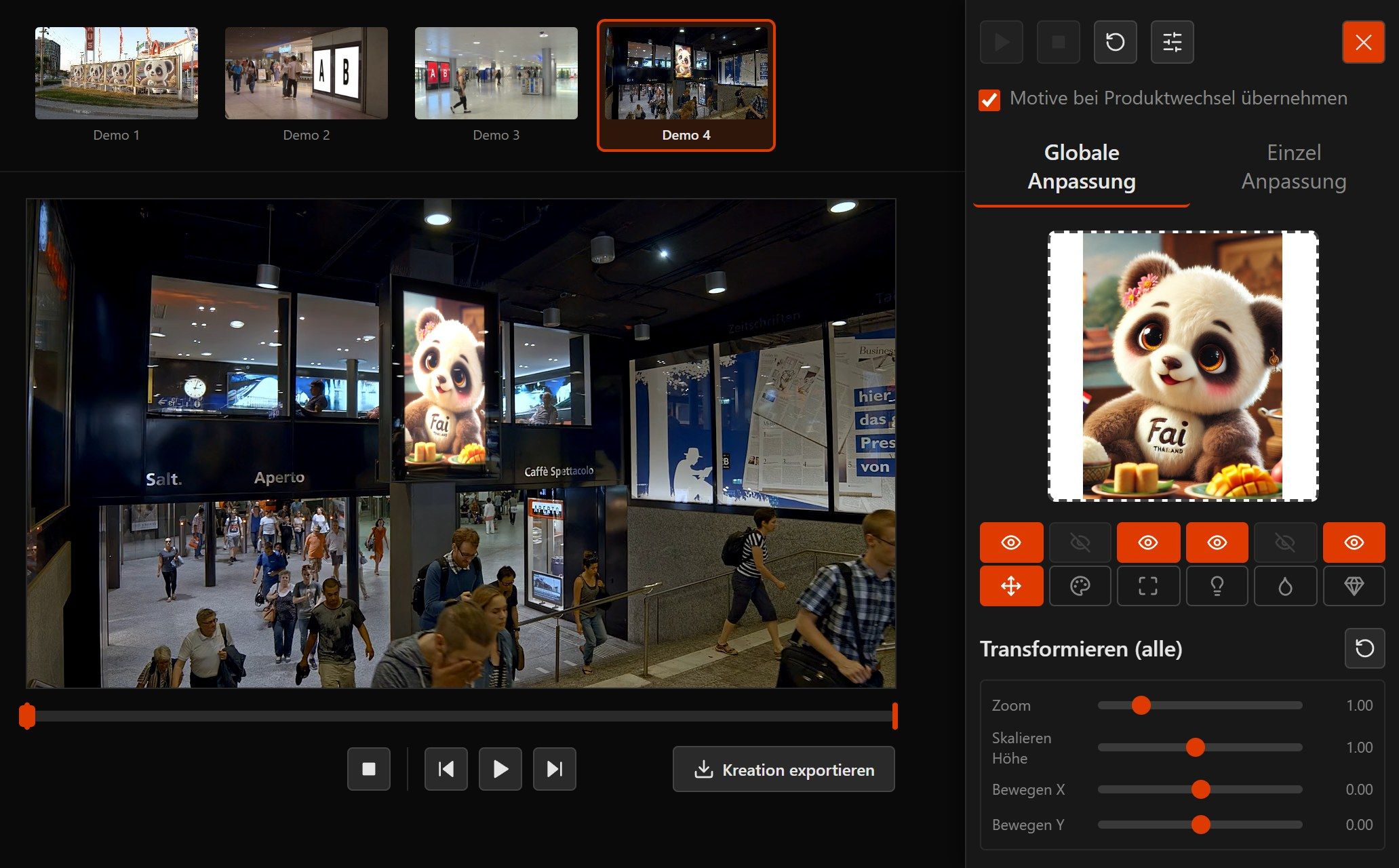
The creative sits on the surface in the correct perspective, frame by frame, even when the camera moves. You adjust colour, frame, glow and reflection live.
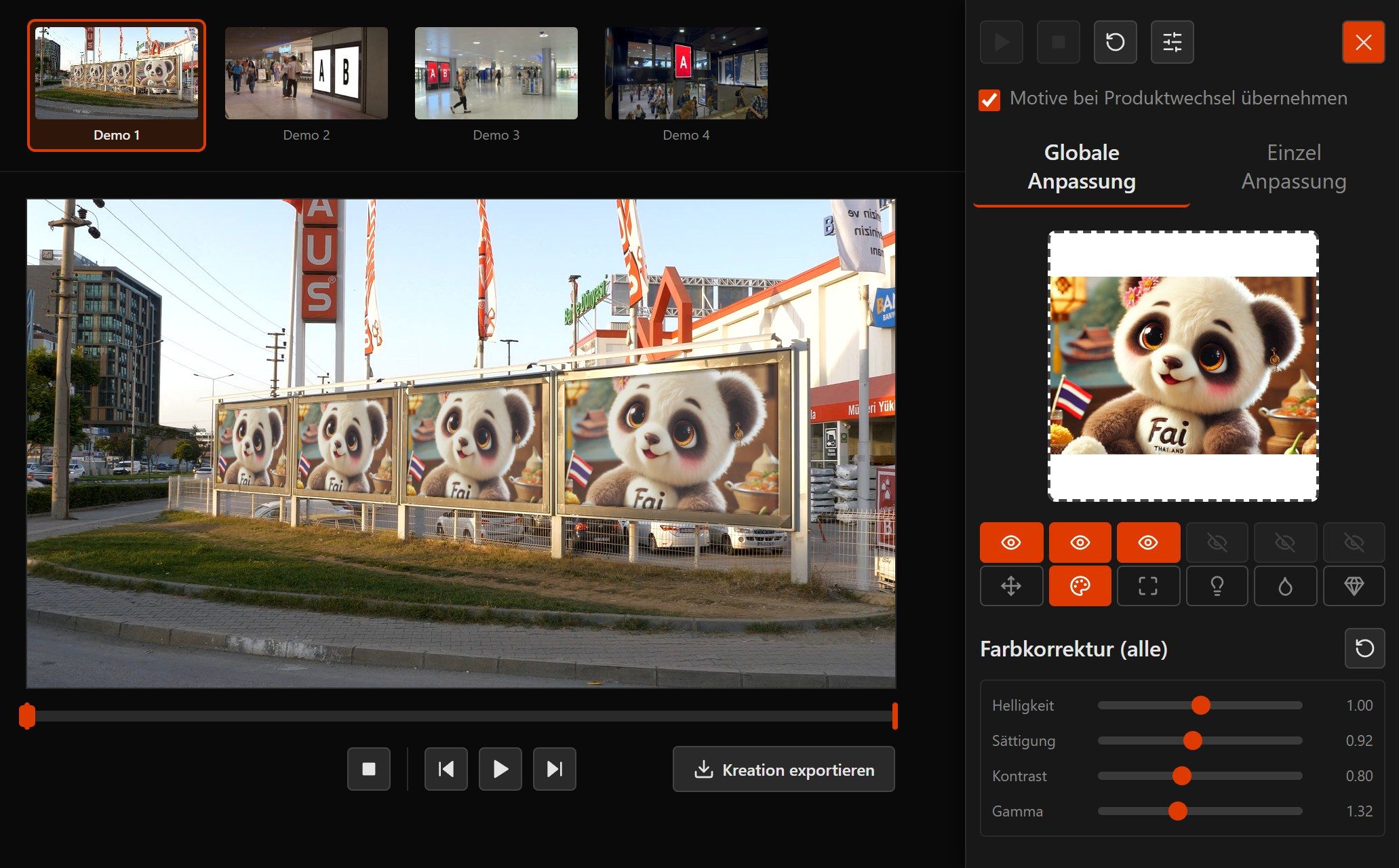
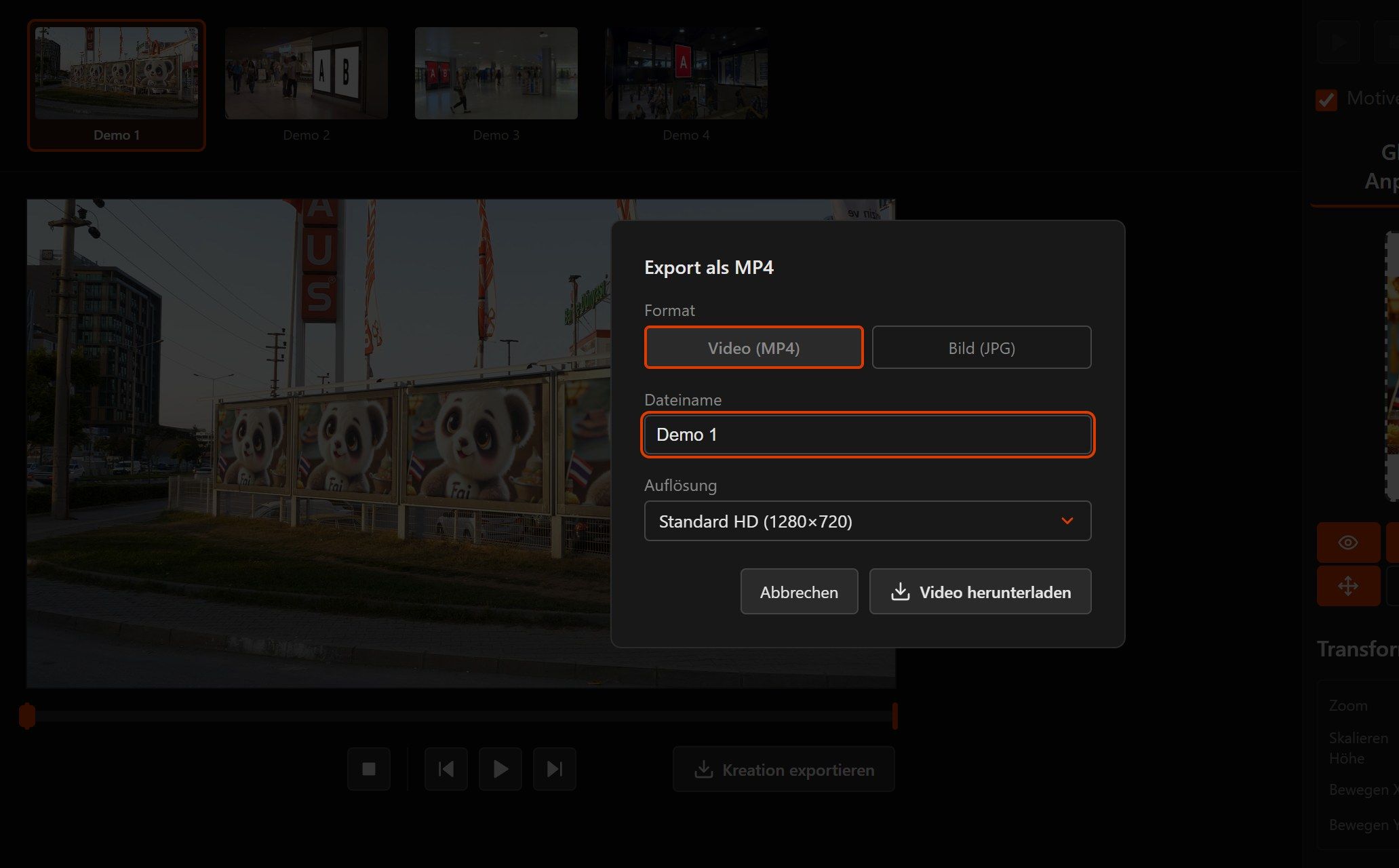
Show the result right there in the meeting. Or export it as a video or image. If you like, collect several surfaces and share them as a PowerPoint, PDF, video, link or slideshow.
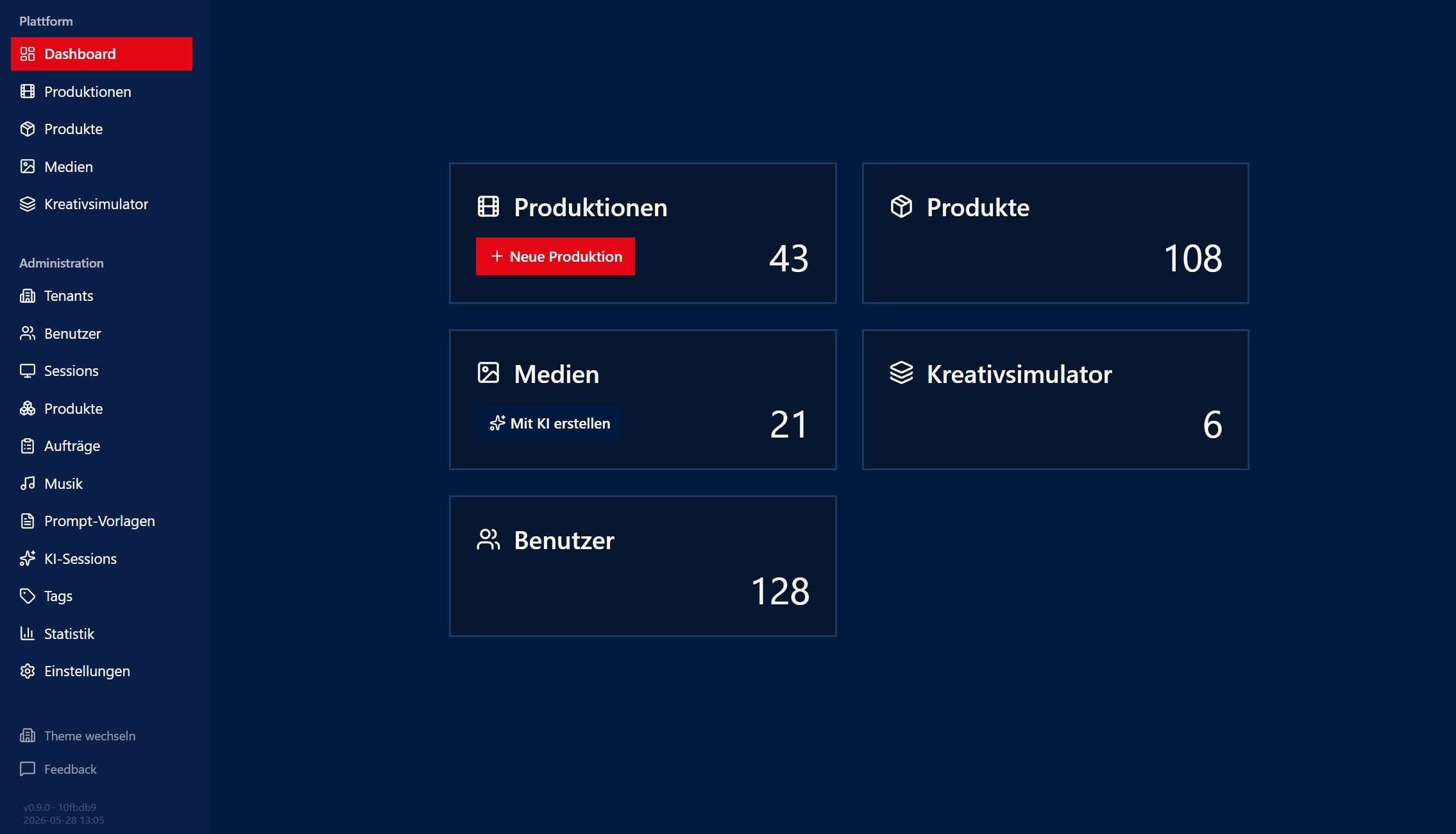
If you like, the platform runs entirely in your design, with your colours and your logo, kept separate for each tenant. Agencies and media owners use it to offer their clients a tool of their own.
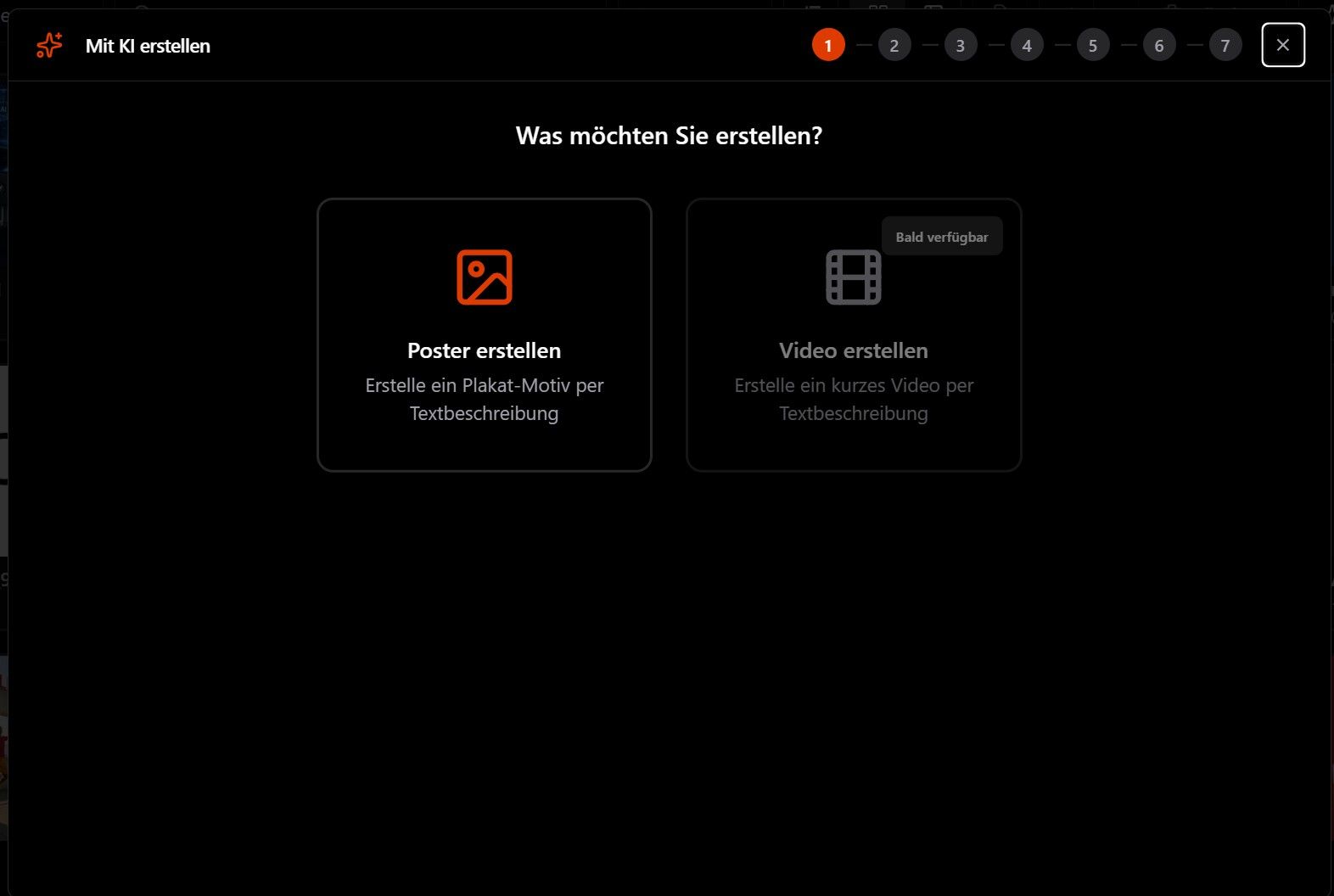
The AI analyses brand, market and audience and suggests campaign ideas. It then creates the creative in the format of your ad surface and rates it before you show it.
Your clients see the Creative Simulator. Behind it, the VC Platform manages your ad surfaces, produces videos in series and provides 360° views, an API and white-label.
Shows in real time how your creative sits on the real ad surface. In the correct perspective, right in the browser.
Produces campaign videos in series. You assign the creatives and get a separate version for each client, location or occasion.
360° views for the showroom, the trade-fair stand or a virtual walkthrough. They are made from the same creatives and surfaces.
Variants for tenants, locations and campaigns are produced in the background, in large numbers too. You don't need any hardware of your own for it.
Connect your own systems through the public REST API. You can query products, start productions and fetch the finished results.
The AI analyses market, audience and competition, creates suitable creatives and rates how well they work.
We want every outdoor campaign to be seen and checked in its real surroundings before any media budget is spent. Media owners sell more easily, agencies decide with more confidence. And a creative that won't work on the street shows up beforehand.
VirtualCampaign began in 2005 with something Jens Harald Herzberg noticed. Posters are designed on a screen, but they are only judged on the street. He wanted to close that gap. His idea was to show campaigns virtually in their real surroundings and give media owners and agencies a tool to sell with.
The first prototype ran in Flash. It became an HTML5 application and later today's 3D platform with real-time preview, streaming, an AI creative generator and an open API. New features usually get built because a customer needs them.
They work with a small team of developers and specialists. If you have a question or a request, you talk directly to the people who build the software.


CTO
Computer scientist specialising in systems integration. He is responsible for the architecture, the platform and the Creative Simulator.
VirtualCampaign · since 2005
Short answers to what customers ask us before they start.
Book a demo, with no obligation. Tell us how you pitch or sell today, and we'll show you how the Creative Simulator and the platform fit in.
We usually reply within one business day.
It has reached us. We usually reply within one business day.
We're happy to show you the Creative Simulator on your own case.