
Your ad screens, creatives and videos in one place
VC Platform is the system behind the Creative Simulator. It manages your ad screens, creates creatives with AI and produces campaign videos at scale. It runs in your design, every client has its own area, and the API connects it to your systems.
Where time gets lost today
A single campaign preview often takes several tools: a mockup from Photoshop, a video from the agency, briefings by e-mail, approval over the phone. In VC Platform, ad screen, creative, preview and video sit together.
Your clients see the Creative Simulator. There, a creative sits on the real screen in seconds. The platform behind it manages the screens and produces the videos. You need no hardware of your own for it.
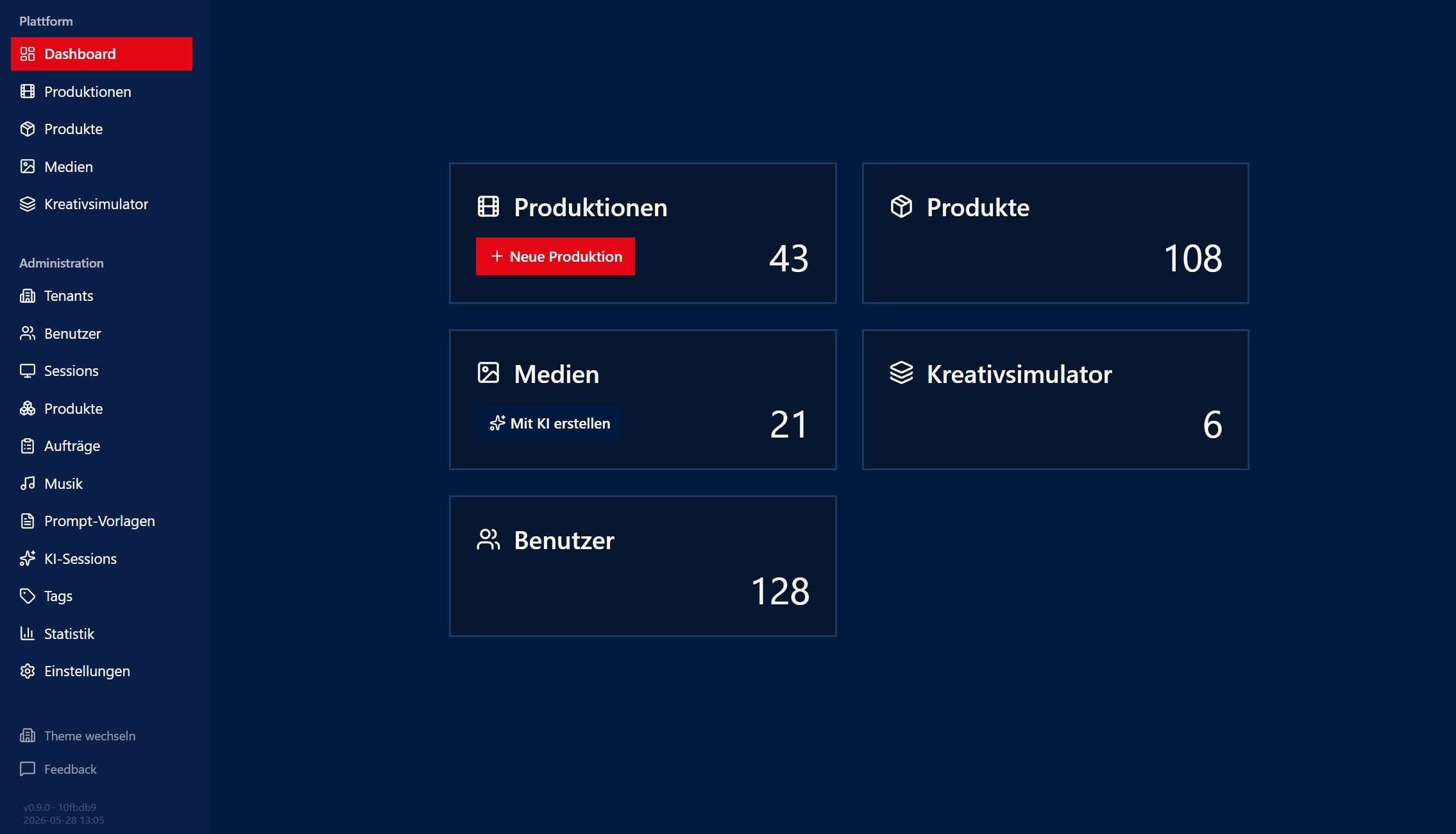
What VC Platform can do
-
Ad screen catalogue
Every ad screen as a photo, video or 360° product, with format, location and several views. We add new screens from your photos. With VC Capture, which is in development, you will be able to do that straight from your phone.
-
Campaign videos at scale
You assign creatives and get a video of its own for every client, location or occasion. The platform produces in the background, many variants at once if needed.
-
360° views
All-round previews for the showroom, the trade fair stand or a virtual site visit. They come out of the same workflow as the videos.
-
AI analysis and creatives
The AI analyses market and audience, creates creatives by company, region and occasion, and rates them before you present them.
-
White label and clients
The platform appears in your colours, with your logo and theme. Every client sees only its own data. The platform runs in your website via iframe or on its own subdomain.
-
REST API
Through the public API, your own systems can query products, start productions and fetch the finished results.
How it works
- 1
Add your ad screens
Your screens go into the catalogue as photo, video or 360° products. For new customers we take over existing photo products free of charge.
- 2
Upload or create creatives
Upload your own creatives or have the AI create one, each in the format of the screen.
- 3
Check the preview, generate videos
In the Creative Simulator you see the creative on the screen at once. When it fits, the platform produces the videos for every client, location or occasion.
- 4
Pass it on
Send the result as a video or image, show it in your own client portal or fetch it via the API.
Questions about VC Platform
What is the difference between VC Platform and the Creative Simulator?
Do we need our own servers or hardware?
Can we offer the platform under our own brand?
How do we maintain our sites for the Creative Simulator?
How do we get started with VC Platform?
Read on
See VC Platform with your own ad screens
In the demo we show catalogue, Creative Simulator, AI and video production using a case from your daily work.