

The DOOH preview shows your spot on the real digital surface
Digital surfaces show motion, stand in changing light and have formats of their own. A still image tells you little about that. In the DOOH preview your spot plays on real footage, and at the end you have an MP4 you can send on.
What makes digital surfaces different
On a printed large-format poster, one image decides. On a digital surface, the sequence decides. What counts is how long the spot runs, when the message lands and what is left on screen at the end. A preview that does not show this only checks half the campaign.
Then there is the format. A digital screen in a station concourse has a different aspect ratio from an LED wall on a façade. A creative built for landscape often loses exactly the part that matters when it goes portrait.
Finally, light plays its part. An LED surface emits its own light, dark areas behave differently than on paper, and fine contrasts get lost. You only see that in real surroundings too.
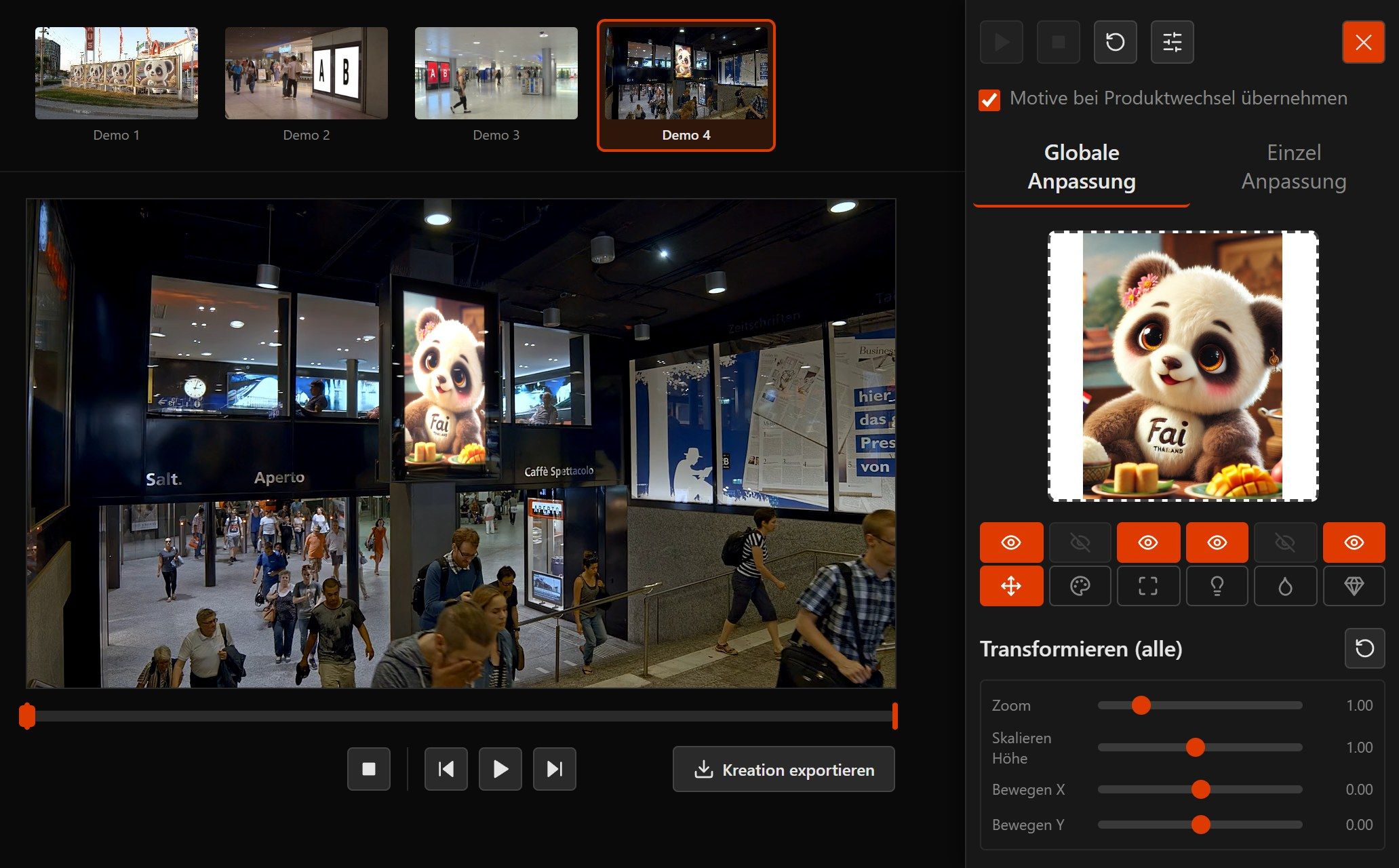
What the DOOH preview covers
-
Moving image instead of a still
Your spot plays on the surface inside the footage, at the pace and length it will have later. You set where the spot starts and ends. It plays in real time or in sync with the scene, as a still or on a loop. You can also put a running live stream on the surface via a link.
-
Format and crop
The surface sets the shape and size. You see immediately what is left of the creative in each format.
-
Impact in context
Passers-by, ambient light and neighbouring surfaces are all in the picture. No surface stands on its own.
-
MP4 to pass on
You get a video in HD. It goes as it is into the presentation, the proposal or the approval e-mail.
From file to preview
- 1
Pick the spot
Choose a video creative in the browser or insert it via a link. For a static booking a still creative works too.
- 2
Pick a digital surface
LED wall, digital screen or City-Light from your inventory.
- 3
Check format and image
Set the crop and adapt brightness and contrast to the illuminated surface.
- 4
Export as MP4
Save the video in HD and pass it on.
Frequently asked questions about the DOOH preview
How does DOOH differ from classic out-of-home?
Which formats are supported?
How long can the spot be?
Do we get a file to pass on?
Can our own digital surfaces be added?
Read on
See your digital surfaces in motion
We are glad to show you the preview on one of your digital surfaces, with your spot and in your format.